Pinpoint the Covered Area
Draw a selection around the emoji on the face. The tighter and more accurate your selection, the better the AI can read what surrounds it and decide what belongs there.
Try it now
Face Emoji Remover online
Use Cuta's face emoji remover to clear emoji and sticker overlays from any photo. AI rebuilds a clean, natural-looking result in seconds.
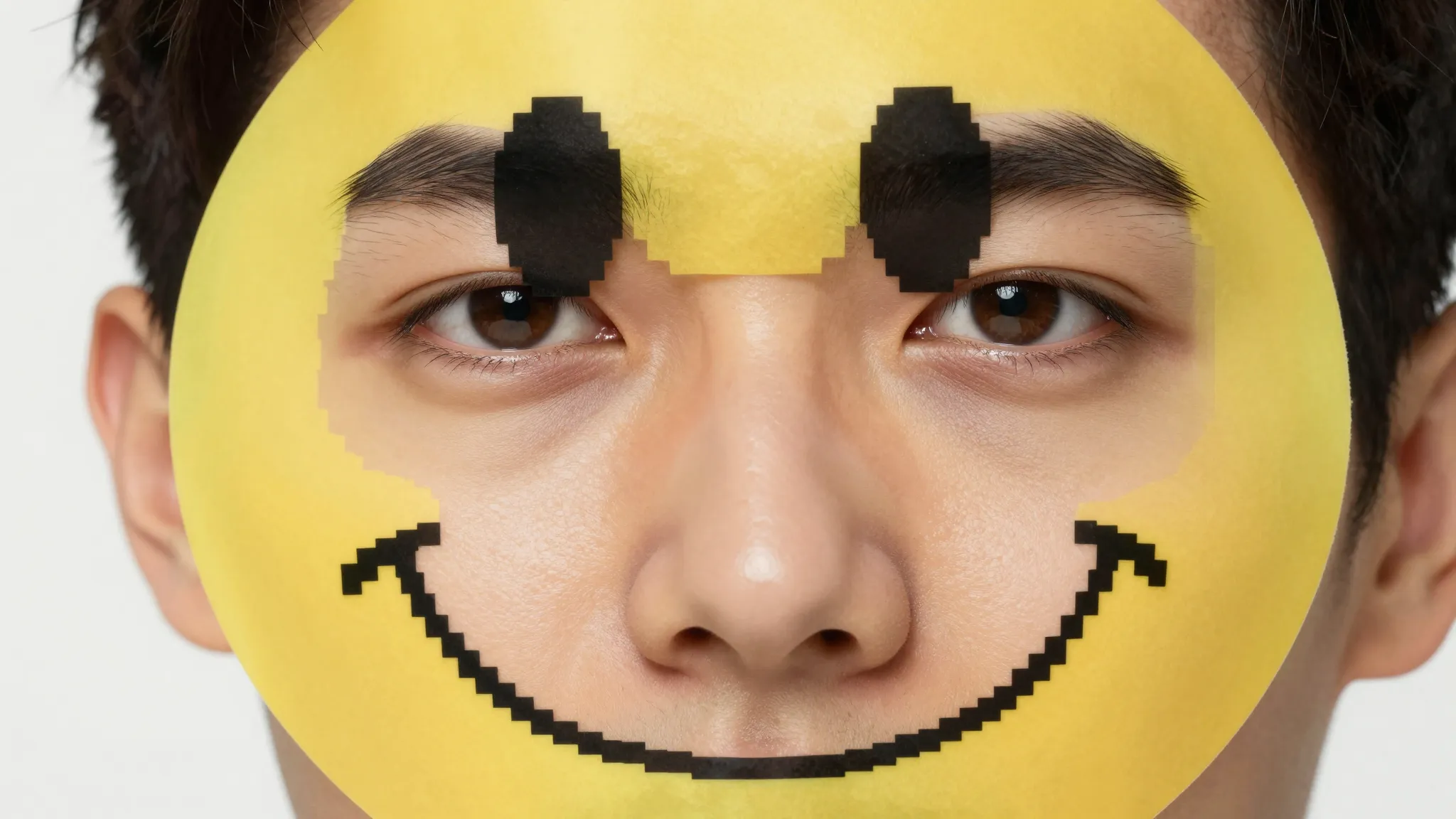
Draw a selection around the emoji on the face. The tighter and more accurate your selection, the better the AI can read what surrounds it and decide what belongs there.
Try it nowFilling a patch on a wall is easy. Filling a face is harder — the AI has to infer eyes, skin tone, expression, and proportion from the parts of the face still visible. That is the specific problem this tool is designed for.
Try it nowSometimes the emoji bleeds into hair, shoulders, or background. The tool handles the full covered region, not just the face, so the entire area reads naturally.
Try it nowFaces are unforgiving. One slightly off eye and the result looks wrong. Rerun the edit, tighten the selection, and adjust until the reconstructed face holds up at a normal viewing distance.
Try it nowFrom idea to creation
Go to Cuta’s image tools, select Edit Image mode, and upload your photo. JPEG, PNG, and WEBP all work.

Highlight or select the emoji or the covered region. Be a little generous around the edges so the AI has room to blend.

Run the edit, then review the result. If the selection missed a corner or the fill looks off, refine the selection and run it again until the image looks right.
People cover faces before sharing, then later want a complete version for a personal album or a print. The tool rebuilds a natural face region so the photo reads complete again, a clean reconstruction, not a recovered identity, but for personal use that is exactly what you need.
Try it nowSaved posts and screenshots often carry sticker and emoji overlays. Creators who reuse this content need it clean. The face emoji remover clears those overlays so a saved image is presentable again, which pairs well with the broader remove emoji from photo workflow for non-face overlays.
Try it nowA great group shot is sometimes ruined by a single emoji over one person. Select that face region, rebuild it, and the whole group reads naturally again.
Try it nowProduct shots and marketing assets sometimes arrive with watermark-style emoji or placeholder stickers. Clearing them gives you a clean base to work from before you drop the image into a layout or pass it to an AI image generator for further variations.
Try it nowBirthday stickers, location tags, and decorative emoji clutter a frame. Pull them out and let the background fill rebuild what was behind them, leaving a clean composition.
Try it nowNo. Once an emoji is baked into an image, the original pixels are gone, no tool can recover them. What the face emoji remover does is generate a natural-looking reconstruction from the surrounding context. The result is a clean, complete-looking image, not a reveal of what was actually there.
Find your next creative tool
Your next creation starts here
Start with your own content in Face Emoji Remover. Review the settings in Studio and create your result.