






Cuta
AI Face Smooth Tool online

AI Face Smooth Tool

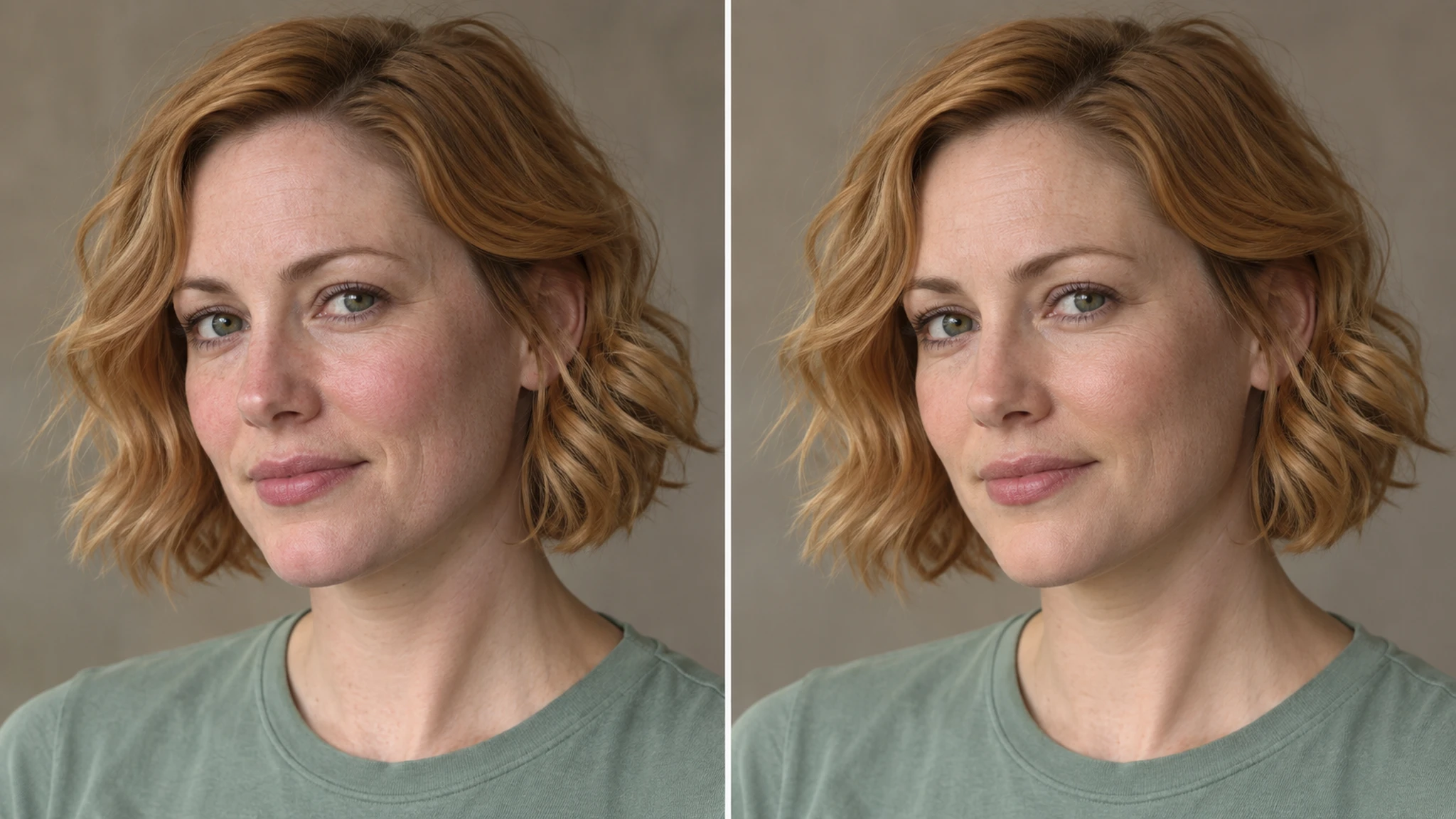
Smooth skin, remove blemishes & perfect your portraits instantly with Cuta's free online face smooth tool. Just upload and glow up.

Smooth Your Face for Every Platform

AI Face Smooth Tool

AI Face Smooth Tool

Social Media Glow-Ups

Your selfies don’t need heavy filters or over-editing anymore. Smooth out skin, reduce blemishes, and enhance your natural features while still looking like you. Perfect for Instagram, TikTok, and anywhere your face is front and center.

Try it now


AI Face Smooth Tool

AI Face Smooth Tool

Dating Profiles That Catch Attention

First impressions matter, but so does authenticity. Clean up minor imperfections, even out skin tone, and present your best self while still looking natural — not filtered beyond recognition.

Try it now

AI Face Smooth Tool

AI Face Smooth Tool

Content Creators & Personal Branding

Whether you're shooting thumbnails, reels, or personal brand content, consistency matters. Quickly refine your look across images so your content feels cohesive, polished, and professional without spending hours editing.

Try it now

AI Face Smooth Tool

AI Face Smooth Tool

Creative & Stylized Looks

Go beyond natural edits. Experiment with glass skin, soft glam, or stylized portrait looks using prompts and reference images. Whether subtle or dramatic, you stay in control of how your final image turns out.

Try it now

AI Face Smooth Tool

AI Face Smooth Tool

Portrait-ready preview for AI Face Smooth Tool

Try it

How to Use AI Face Smooth

AI Face Smooth Tool

AI Face Smooth Tool
Step 1

Choose Model & Upload

Pick a portrait retouching model and upload your photo.

AI Face Smooth Tool

AI Face Smooth Tool
Step 2

Describe & Customize

Specify skin improvements (e.g., glass skin, natural glow), set resolution/aspect ratio, and add a reference if needed.

AI Face Smooth Tool

AI Face Smooth Tool
Step 3

Generate, Refine & Download

Create results instantly, tweak until satisfied, and download your final polished image.

Community creations

See how creators and teams are using AI Face Smooth Tool inside Cuta.

Try now

Frequently asked questions

How natural do the results look?+

The AI face smooth tool is designed to keep your skin looking realistic while smoothing out imperfections. Results depend on your input image and prompt, but the goal is a refined, not over-processed look.

Can I control how much smoothing is applied?+

Yes. You can guide the results using prompts like “light touch-up” or “glass skin,” and iterate until the level of smoothing feels right for your image.

Will it remove all blemishes automatically?+

It can reduce or remove most visible blemishes like acne or spots, but results may vary depending on image quality and lighting. You can refine outputs by adjusting your prompt or regenerating.

Is this suitable for professional use?+

Yes, lightly retouched images can work well for professional platforms. For best results, aim for subtle enhancements that maintain a natural and authentic appearance.

Start creating

Create without limits

Join creators using Cuta to generate stunning images, videos, and more — all in one platform.

Get started for free

