AI Image Enhancer

Upload your image
Choose the photo or render you want to enhance and drop it in.
Enhance your images with Cuta's AI Image Enhancer. Remove the plastic-skin look, restore natural texture, and sharpen portraits up to 8K with full slider control.
AI Image Enhancer

Choose the photo or render you want to enhance and drop it in.
AI Image Enhancer

Pick 2K, 4K, or 8K and set the skin texture slider to match your shot.
AI Image Enhancer

Run it, check the result, and download your enhanced image.
AI Image Enhancer

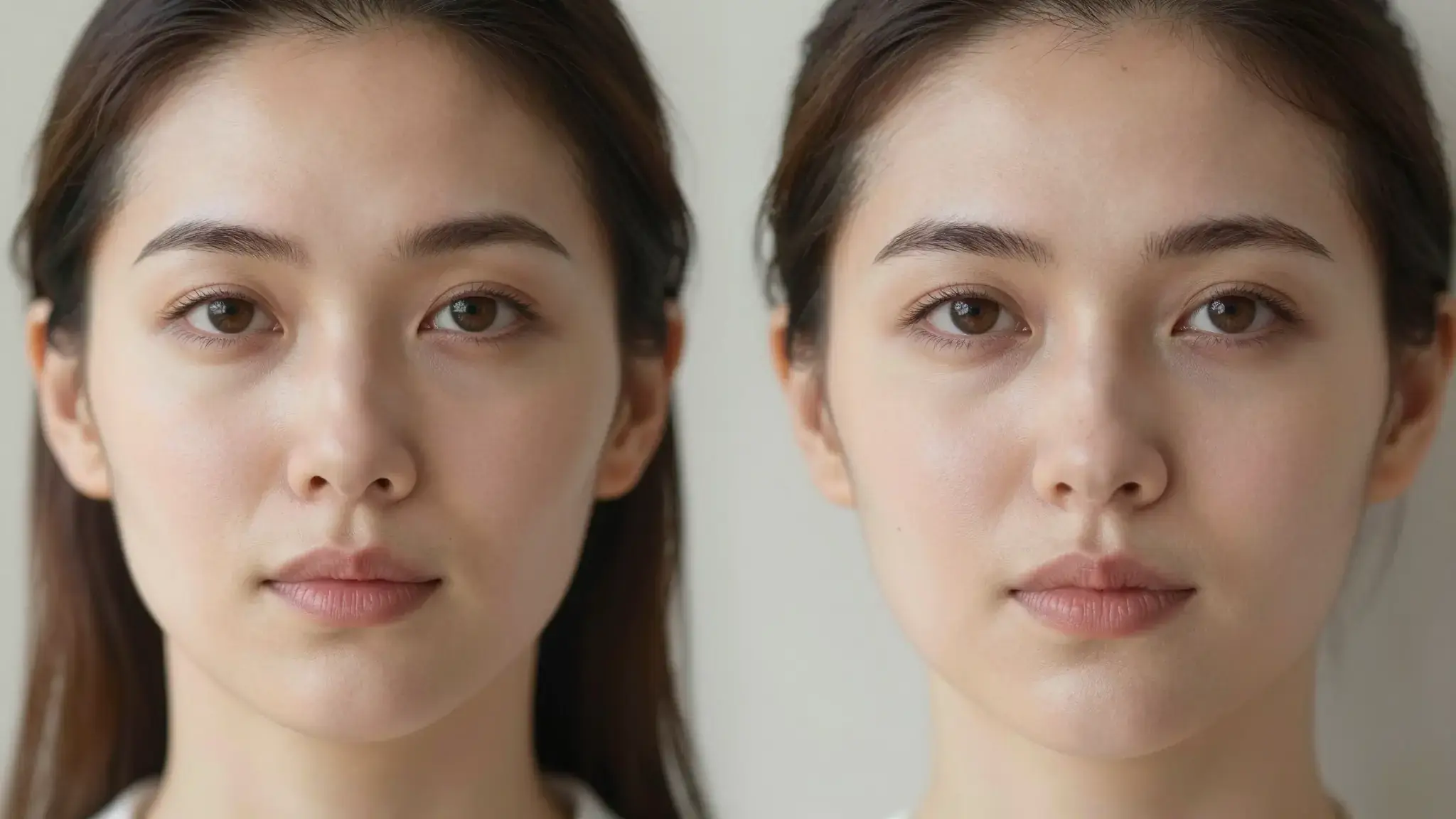
Over-processed and AI-generated images often have skin that looks waxy and fake. The enhancer rebuilds real skin texture so faces look natural again, with pores, detail, and depth instead of a smooth blur.
Try it nowAI Image Enhancer

A slider from 0 to 3.0 controls how much texture the AI adds. Keep it low for a light cleanup, or push it higher for a detailed, close-up finish. You see exactly how strong the effect is.
Try it nowAI Image Enhancer

Different shots need different amounts of detail. Lower settings suit full-body images, mid settings suit portraits, and higher settings suit close-ups, so the texture always fits the framing.
Try it nowAI Image Enhancer

Choose 2K, 4K, or 8K output so your enhanced image holds up at full resolution. The result stays sharp and detailed whether it's for a screen, a print, or a large display.
Try it nowIt removes the uncanny plastic-skin look and restores natural texture, so people in your images look believable.
Enhance your image at 2K, 4K, or 8K so faces and fine details stay sharp at full size.
A simple slider lets you set exactly how much skin detail to add, from a light touch to a close-up finish.
Retouching can leave skin looking too smooth and fake. The enhancer restores natural texture and sharpens detail, so your portraits look polished and real without hours of manual editing.
Try it nowPeople in ads and product shots need to look natural and high-quality. Enhance campaign images so skin reads as real and the final result holds up across web, social, and print.
Try it nowAI-generated faces often come out with that telltale plastic skin. Run them through the enhancer to add believable texture and detail, so your generated portraits look like real photos.
Try it nowProfile shots and content need to look sharp and authentic. Enhance your images so they keep real texture and detail, even after filters or AI edits flatten them out.
Try it nowIt's an Cuta tool that restores natural texture and detail to images, especially skin. It removes the plastic, over-smoothed look and sharpens your image up to 8K.
It fixes skin that looks waxy, flat, or fake, which is common in heavily retouched photos and AI-generated images. It rebuilds real texture so people look believable.
A lot. A slider from 0 to 3.0 lets you set exactly how much skin texture to add, from a light cleanup to a detailed close-up finish.
Lower settings work best for full-body images, mid settings for portraits, and higher settings for close-ups. You match the amount of detail to how the shot is framed.
You can output at 2K, 4K, or 8K, so your enhanced image stays sharp at full size for screen, print, or large displays.
Yes. It's especially useful for AI portraits that come out with plastic-looking skin. It adds the texture and detail that make them look like real photos.
The focus is on enhancing skin texture and detail while upscaling. The rest of your image stays intact, just sharper and higher resolution.
No. You upload an image, set the resolution and slider, and download the result. There's nothing technical to learn.
Start creating
Join creators using Cuta to generate stunning images, videos, and more — all in one platform.
Get started for free