
Expression that carries the story
Choose a voice and shape its emotion, pace and delivery in the speech studio.
Create a voiceover
AI dubbing & video localization
Bring your videos to a wider audience. Translate speech, create expressive narration, or work with your own voice to tell the same story in a new language.

From a heartfelt monologue to a natural conversation. Hear the story in another language, and find the right voice for your content.
Choose a voice and shape its emotion, pace and delivery in the speech studio.
Create a voiceover
Create a voice clone from an authorized recording, then use it in your audio workflow.
Explore voice cloning
Turn your original video into a translated version for viewers in a new language.
Translate a videoDemos use original visuals with AI narration. Create a voice clone in the dedicated tool below.
Move from your original content to a new language with the creative tools already in Cuta.
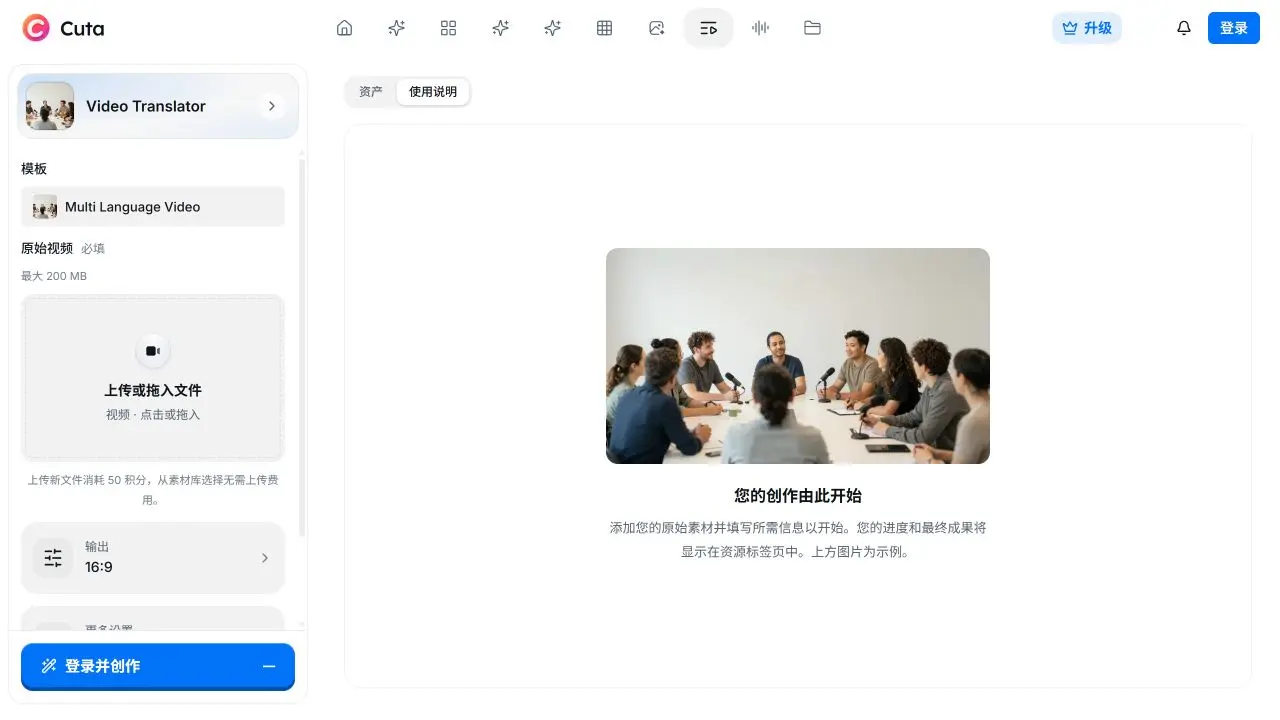
Add your source video, choose a target language, then generate and review in the video translator. Keep your source and generated files in one workspace.
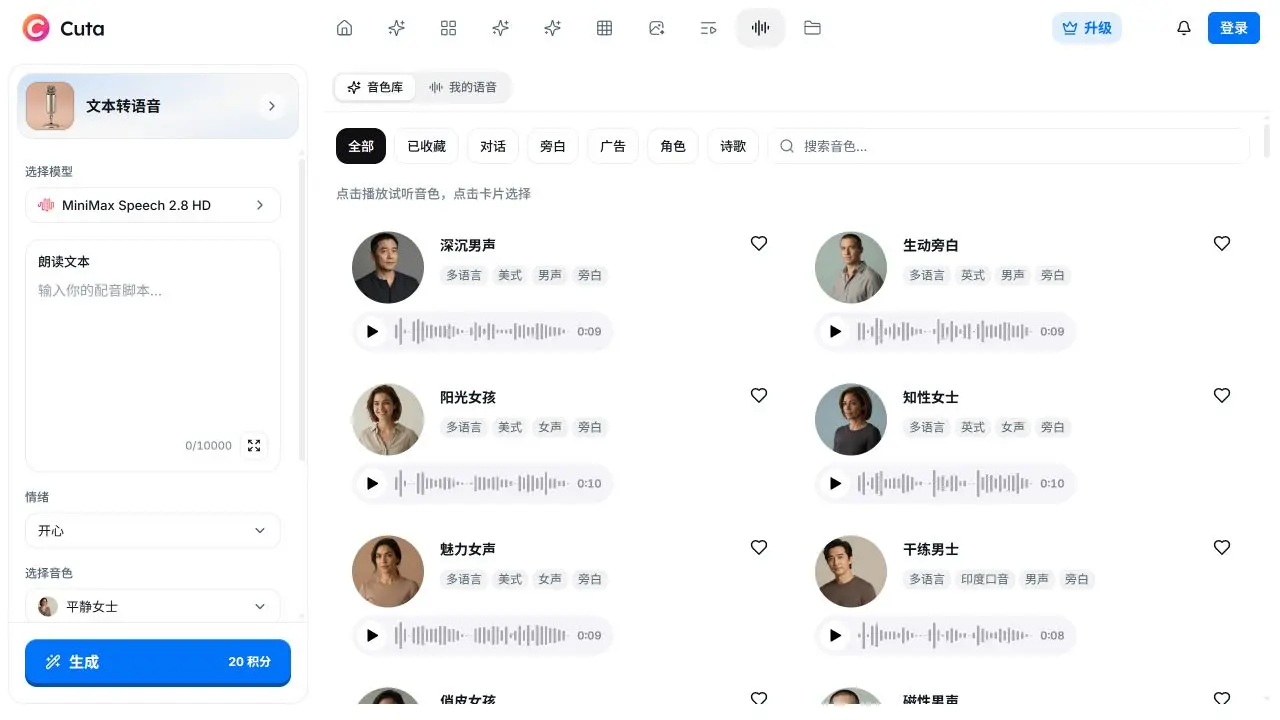
Explore voices across languages, accents and styles. Preview a voice before using it in your project.
The video translation workflow processes your source video, translates its speech and prepares the localized output.
Fine-tune emotion, speed, volume and pitch when creating speech. Give each line the delivery it needs.
Use recordings you have permission to clone. Manage your voices in the voice cloning workspace.
From one story to the next language
Open the video translator and add the source video you want to localize.
Set the target language and review the options and credit estimate in the tool.
Run the translation, review the generated result, and download it from your workspace.
For video creators
Give an existing video a new language. Upload your content and continue in Cuta’s video translator.
For voice & audio
Create a voiceover from text. Explore voices, choose the delivery and generate audio for your next project.
Use your Cuta credits across creative tools. The tool shows the estimated cost before you generate, based on the selected model and inputs.
Choose Start translating to open Cuta’s video translator. Add your video, choose the target language and review the tool settings before starting a generation.
Yes. The speech studio creates audio from text. Select a voice, adjust its delivery and generate a voiceover for your project.
Cuta’s voice cloning workspace lets you create a clone from a recording you have permission to use. Voice cloning is a separate tool; open that workspace to review its requirements.
Available languages depend on the tool and model. Check the video translator’s target languages or the speech studio’s voice directory. These demos use equivalent scripts and AI narration to present the same story in different languages.
Cuta uses credits. The tool shows an estimate for the selected model and inputs before generation. Visit the pricing page for current plans and credit allowances.
One creative workspace. More ways to reach your audience.
Start translating